
How do 3D chat rooms work on Micup?
A 3D chat room on Micup (micup.gg) is a live scene inside a server voice channel: you join as an avatar, take a seat, talk by voice and move around the room. There are five rooms today, Night Lounge, Coffeehouse, Campfire, Game Room and Cinema, and they all open on a computer in your browser or the desktop app, with no VR headset.
Last updated:
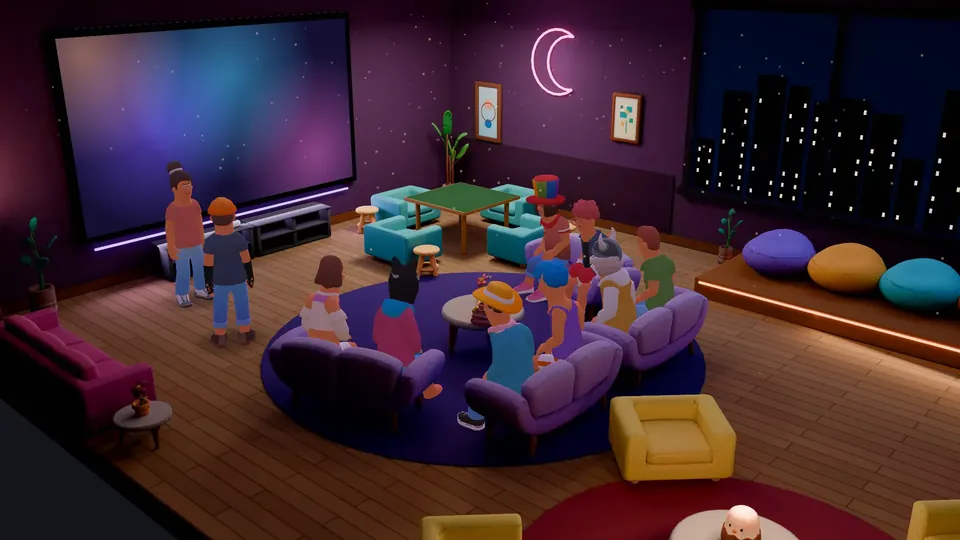
Five 3D rooms
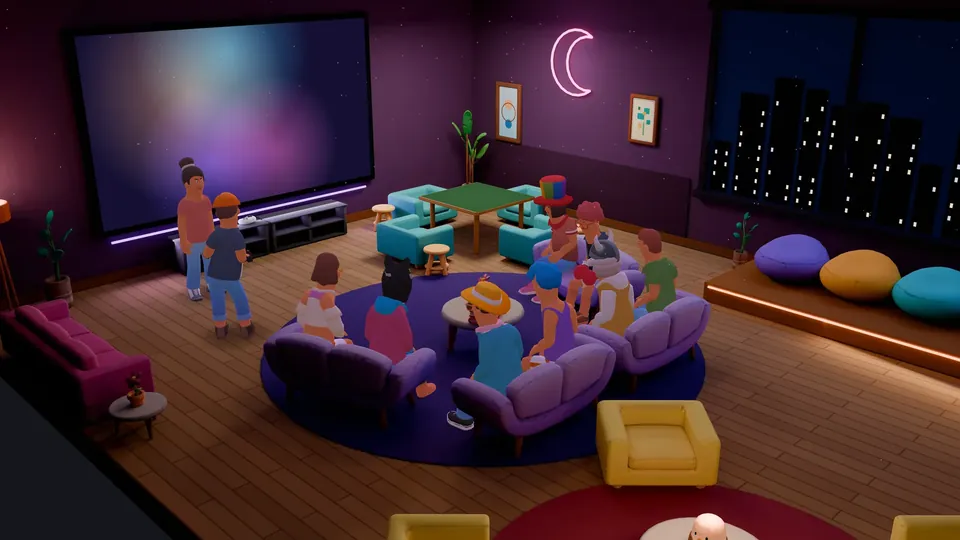
Night Lounge
A lounge at night with 20 seats, a game table and a TV for screen sharing.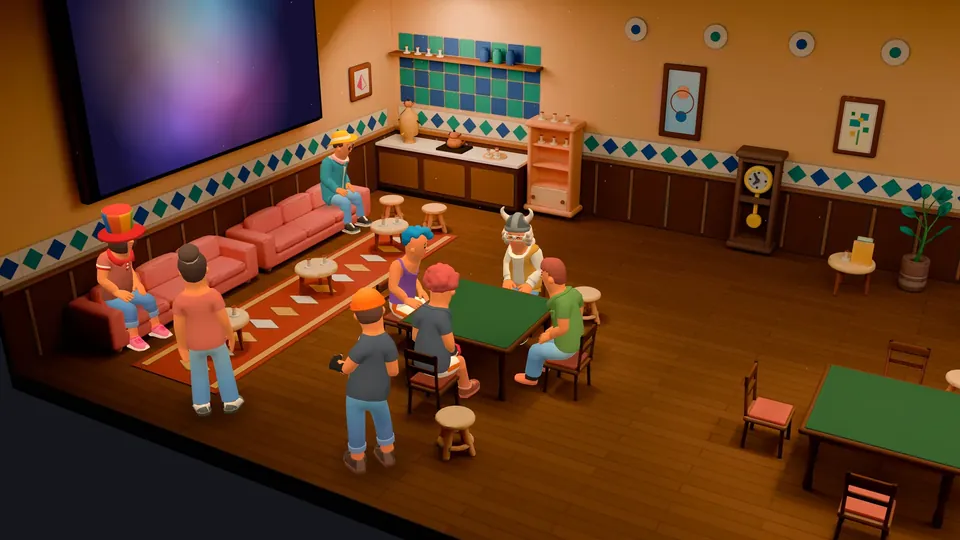
Coffeehouse
A Turkish coffeehouse with 3 game tables for okey, backgammon and chess by voice.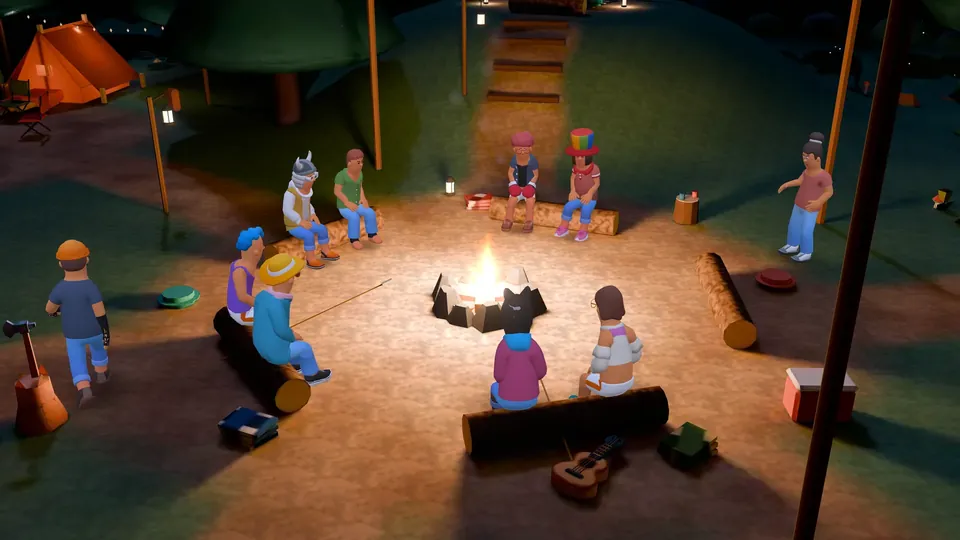
Campfire
An open-air campsite around the fire with 40 seats, fireflies and a game table.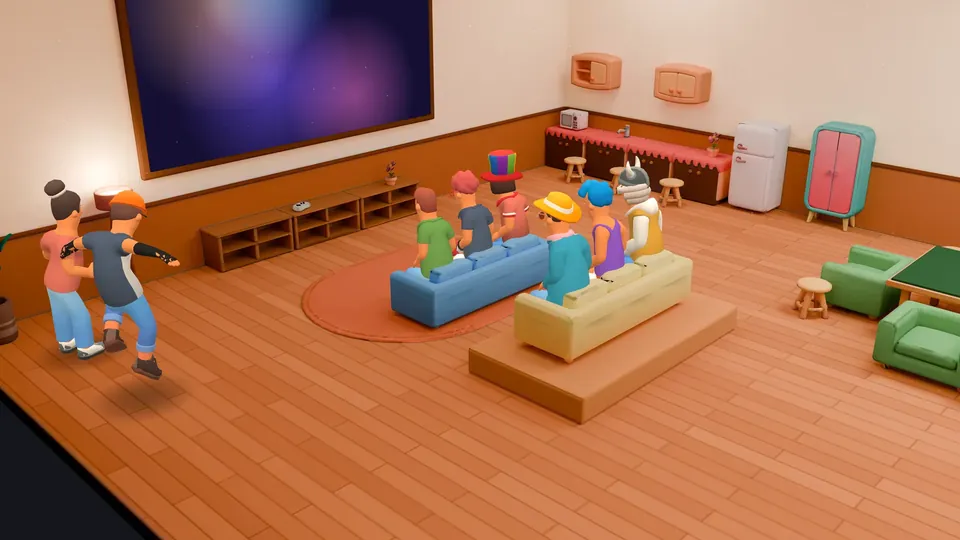
Game Room
Two game tables, 8 watching seats and a TV for playing board games with friends by voice.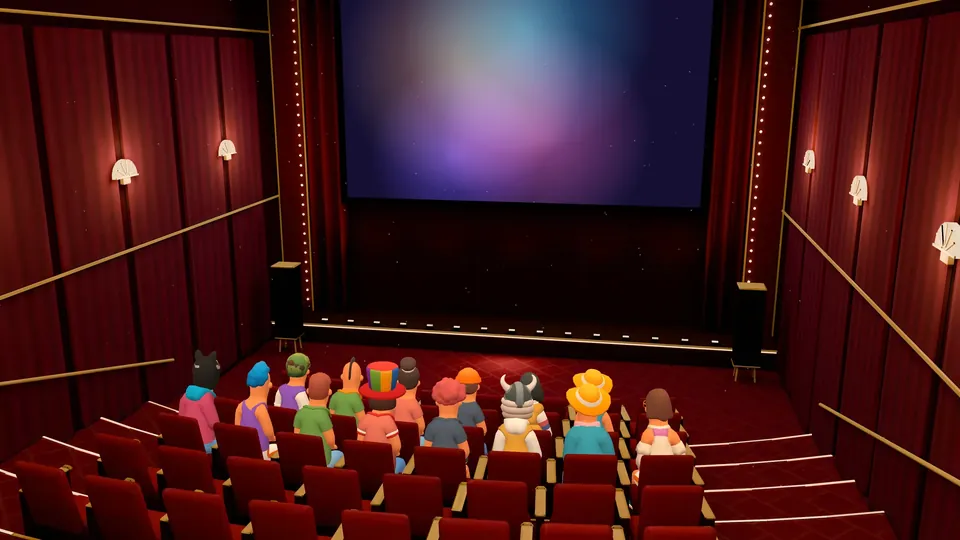
Cinema
54-seat hall with screen sharing or camera on the big screen and a projector beam.


How do you get into a 3D chat room?
3D rooms work in server voice channels; direct message and group calls keep the usual flat view.
Someone with the Manage channels permission picks a room under "Room theme" in the channel settings, or chooses "None" to turn 3D off. Channels without their own theme open in Micup's default room, currently Night Lounge.
When you join, the server gives you a free seat. A button in the call header switches to the normal call screen and back.
How do you pick and customise your avatar?
Everyone appears as a stylised 3D character; without buying anything you join in the ready-made default look.
The "Outfit" button opens an editor with face, hair, top, bottom, shoes, costume, hat, glasses and accessory slots and a 3D preview. The catalog holds 386 parts; personal parts take one of 16 colours.
All 80 faces, some hairstyles and five body moves are free. Other parts cost $0.99 each in the shop, costumes $1.99.
What can you do in a 3D room, and how?
Walking is on in rooms with up to 32 people; in a busier room everyone takes part seated. As a virtual hangout it needs no setup: joining the channel is enough.
| What you want to do | How |
|---|---|
| Move to another seat | Click a free seat |
| Walk or run | WASD to walk, Shift to run |
| Sit down or get up | E next to a seat |
| See through your character's eyes | V key |
| Wave or dance | The "Wave" and "Emote" buttons |
| React with an emoji | The reaction bar |
| Send a text message | The room chat box (up to 120 characters) |
| Watch a shared screen | "Watch" on the TV or cinema screen |
| Play okey, backgammon or chess | Sit down at a game table |
How does voice chat work in a 3D room?
With "3D audio" on, the default, each voice comes from the speaker's spot in the room. While seated only the direction changes; when someone walks away their voice gets up to 9 dB quieter, and nobody becomes inaudible.
A speaking person's character moves its mouth with their voice. Cameras show above their owner's character, and screen shares play on the TV in Night Lounge, Coffeehouse and Game Room or on the big screen in Cinema.
Which devices can run a 3D room?
3D rooms run on a computer, in the browser or the desktop app, in a window wider than 640 pixels with WebGL2 support.
Without WebGL2, on a software graphics driver, with 2 or fewer processor cores or 2 GB of memory or less, or if the room fails to load, the normal call view opens and the voice chat keeps going. The Android app and phone browsers join the same channel in the flat view.
Frequently asked questions
Is 3D chat online free on Micup?
Yes. Creating an account, entering a 3D room and talking with the default look are free, and in a desktop browser there is nothing to download. You do need an account. Most outfit parts are paid items in the shop.
How many people can be in one 3D room?
There is no 3D-specific cap on people. Up to 48 characters are drawn on screen and the rest show as profile pictures; walking is on for up to 32 people. Rooms have 12 to 54 seats.
Do I need a VR headset?
No. 3D rooms are used on a normal screen with a mouse and keyboard. VR headsets are not supported.
What is a 3D chat room?
A 3D chat room is an online space where people meet as avatars in a three-dimensional room and talk by text or voice.
Can I use a 3D room for a virtual hangout with friends without a VR headset?
Yes. In Micup, a voice channel can open as one of 5 3D rooms where friends hang out as avatars in a desktop browser. No VR headset needed.
Get Micup
3D rooms and table games open on computers, in the browser and the desktop app.