
How do different communities use Micup?
Micup (micup.gg) is a free chat and voice app where a community gets its own server with text and voice channels, roles, screen sharing and 3D rooms you enter as an avatar. The guides below show how different groups set it up: which channels to create, which permissions to hand out, and which of the five 3D rooms fits the way they meet.
Last updated:
Guides by community
Gamers
Squad voice channels, LFG roles, game screen sharing and table games between matches.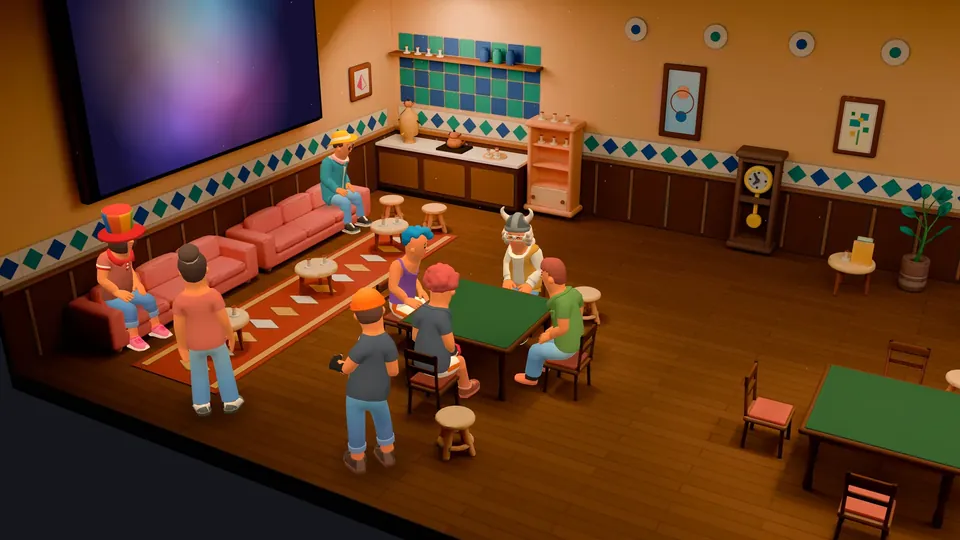
Friend groups
A group chat, a private server and 3D rooms to hang out and play together.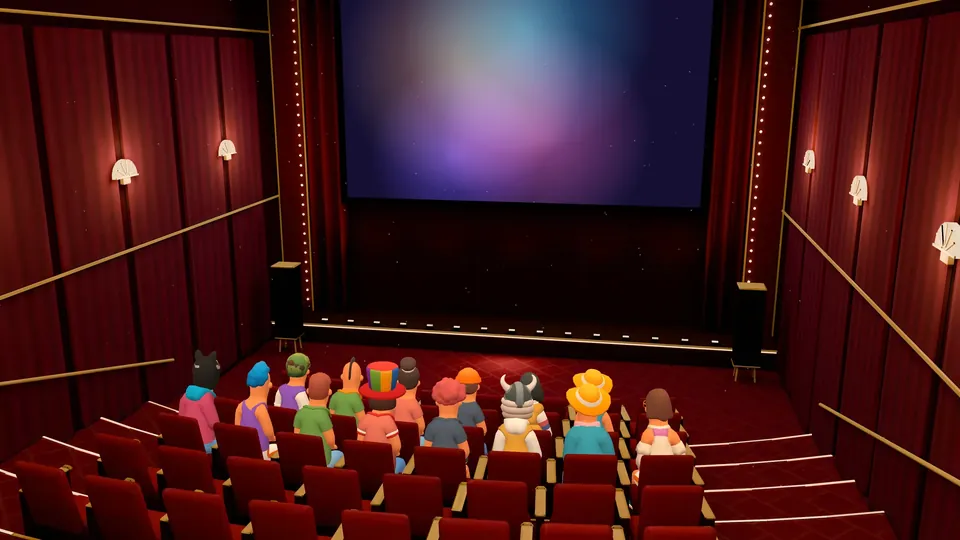
Creators
A fan server, Feed posts for followers and live screen-share sessions.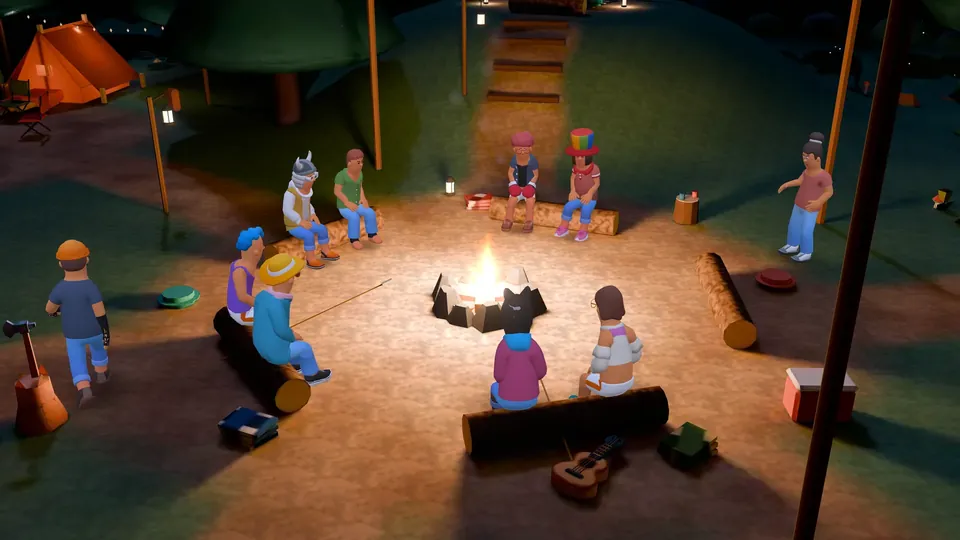
Music communities
Release and feedback channels, tuned voice rooms and honest notes on listening together.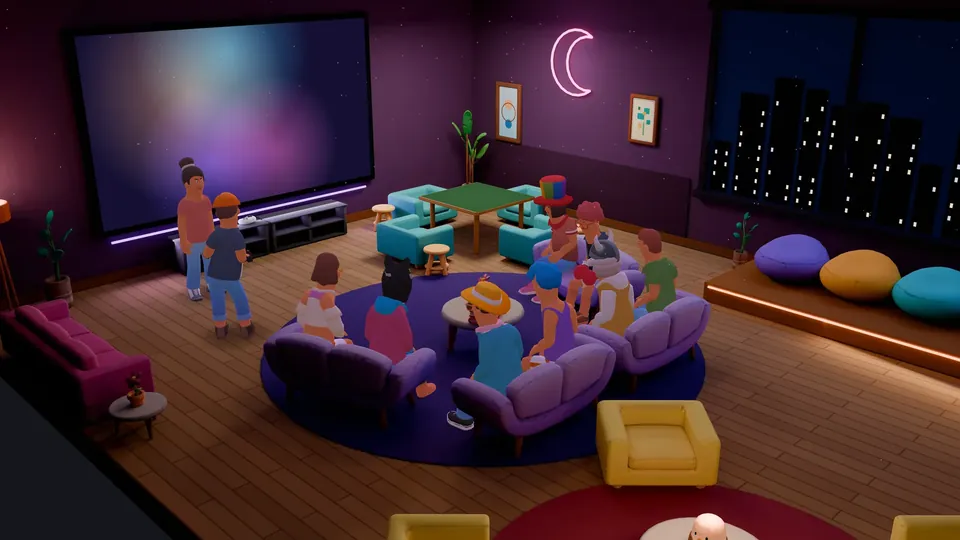
Anime communities
Episode channels, spoiler tags, fan art and a 3D Cinema room for screen shares.Sports communities
Match-day voice rooms, fantasy league channels and team roles.Study groups
A quiet focus room, screen sharing to explain, and channels for notes and questions.Work teams
Project channels, role-based access, voice stand-ups and honest limits.Tech communities
Syntax-highlighted code in chat, GitHub webhooks, bots and help channels.


What does every Micup community start with?
- A server with text channels, voice channels and categories. Every voice channel also has its own text chat.
- Link channels, a shortcut in the channel list to an outside website such as your shop, wiki or tournament bracket.
- Private channels that only the members and roles you pick can see.
- Roles with their own colour and permissions, plus permission overrides for single channels.
- Invite links that expire after a set time or a set number of uses.
- A participant limit for each voice channel, up to 99 people, or turn the limit off.
- The Community bot (MicupBOT), added from Community settings: automod rules, levels, reaction role panels and welcome messages.
Which 3D room fits which community?
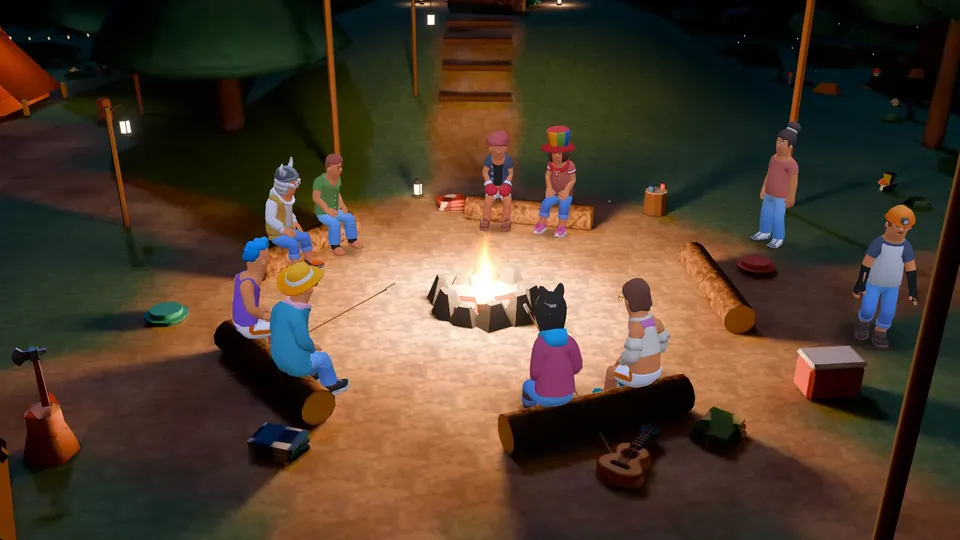
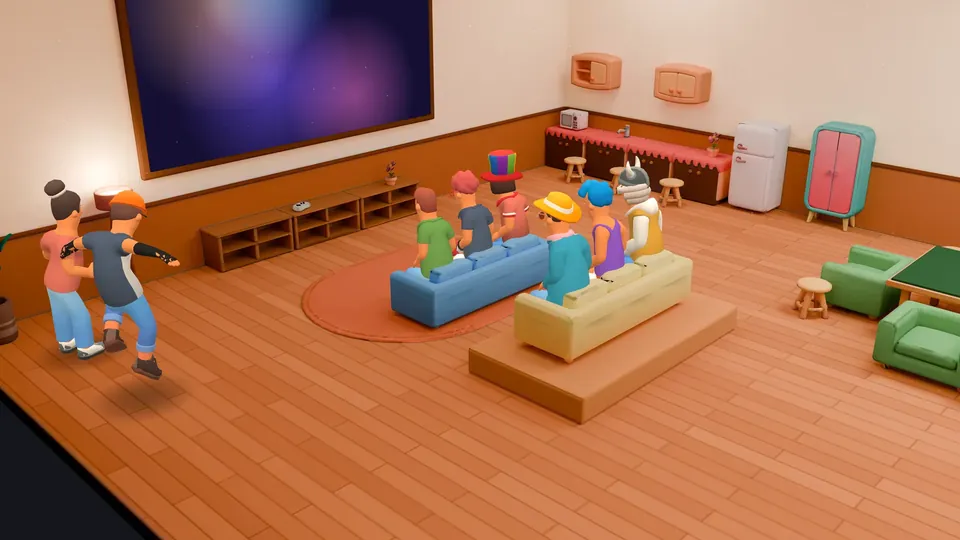
Any server voice channel can open as one of five 3D rooms. Pick the room by how many people usually sit in the channel and what they do there.
| Room | Seats | Game tables | Screen for screen shares | Fits |
|---|---|---|---|---|
| Night Lounge | 20 | 1 | TV | Everyday hangouts, small servers, late-night voice chat |
| Coffeehouse | 12 | 3 | TV | Board game nights, study breaks, small groups that like to sit at tables |
| Campfire | 40 | 1 | Use another room | Big friend groups, community meetups, open conversations |
| Game Room | 13 | 2 | TV | Gaming squads showing a match on the TV, game nights |
| Cinema | 54 | None | Big screen | Anime and film screen-share sessions, match-day crowds, creator Q&As, presentations |
How do you turn a voice channel into a 3D room?
Open the voice channel settings and choose a room under "Room theme"; this needs the Manage channels permission. Choose "None" to keep the channel flat. A voice channel without its own theme opens in the default room, currently Night Lounge.
3D rooms open on a computer, in the browser or the desktop app, in a window wider than 640 pixels with WebGL2. Members on the Android app or a phone browser join the same channel in the regular voice view.
What should a community know before moving to Micup?
- 3D rooms and table games need a computer. The Android app and phone browsers show the flat voice view, and the iOS app is still in development.
- There is no built-in shared video player. To watch something together, one member shares their screen.
- Only share content you have the rights to. The Terms of Use count sharing films, series, music, software or games without the rights as copyright infringement.
- Accounts are for people aged 15 and over, or older where local law requires; users aged 15 to 17 need a parent or guardian's consent.
- Free accounts upload files up to 25 MB and send messages up to 2,000 characters. Micup Plus raises that to 500 MB and 4,000 characters.
Frequently asked questions
Is Micup free for communities?
Yes. Creating a server, text and voice channels, screen sharing and 3D rooms are free. Micup Plus and cosmetic items are optional purchases for individual accounts.
Can I move my Discord server to Micup?
You can import the structure of a Discord server template: channels, categories, roles and channel permissions come across. Messages and members do not; you invite your members with a link.
How many people fit in one voice channel?
You choose. A voice channel can have a participant limit of up to 99 people, or you can turn the limit off. In a 3D room, up to 48 characters are drawn on screen and everyone else shows as a profile picture.
Do members need to install anything?
No. Micup opens in the browser. There are also desktop apps for Windows, macOS and Linux and an Android app on Google Play.
Get Micup
3D rooms and table games open on computers, in the browser and the desktop app.