
How do sports communities use Micup?
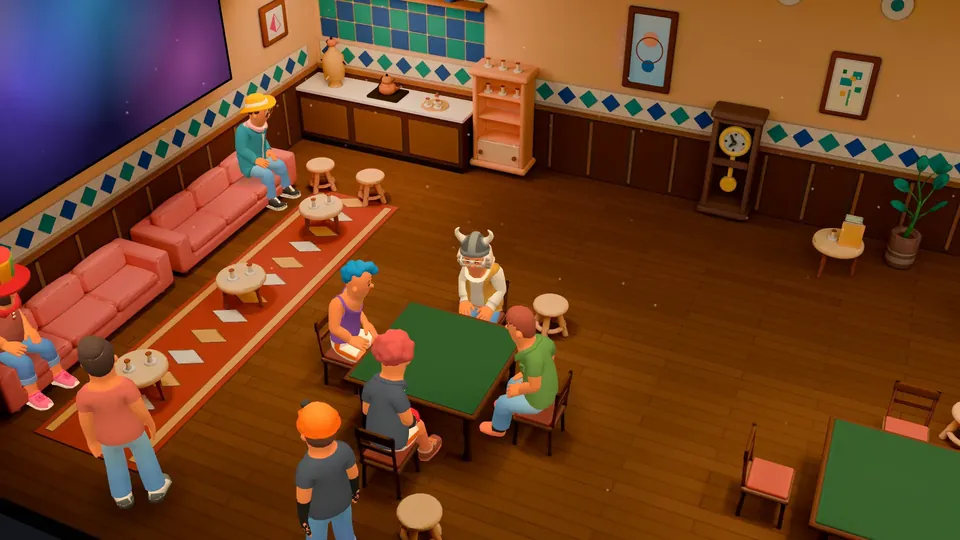
Sports fans use Micup (micup.gg) to follow matches together: a voice room that fills up on match day, a text channel for live reactions, and private channels for fantasy leagues and predictions. A match-day voice channel can open as a 3D room with up to 54 seats in the Cinema theme, but Micup does not carry broadcasts; fans watch on their own service and talk on Micup.
Last updated:
Which channels should a sports server have?
| Channel | Type | What it is for |
|---|---|---|
| announcements | Text | Fixtures, kick-off times and server events, posted by staff |
| match-thread | Text | Live reactions during a game; slowmode keeps it readable |
| transfers-and-news | Text | Rumours, signings and injury news |
| predictions | Text | Post a score prediction before kick-off; others react with emoji |
| fantasy-league | Text, private | Only the league role can see it; pin the rules and deadlines |
| league-table | Link | A shortcut to your fantasy league site or the official table |
| Match day | Voice, Cinema theme | Up to 54 seats for the big games |
| Post-match | Voice, Night Lounge theme | A smaller room with 20 seats for analysis after the whistle |
How do you organise a fantasy league or prediction game?
- Create a role for league members and a private channel that only that role can see.
- Pin the rules, the scoring and the deadline so they stay at the top of the channel.
- Use emoji reactions as quick votes on predictions or trade proposals.
- Add a Link channel that opens your league website from the channel list.
- For a vote outside the server, post a poll in the Feed.
How does a match-day voice room handle a crowd?
You decide how big it gets: set a participant limit of up to 99 people, or turn the limit off. When the room gets loud, turn off "Use voice activity" for everyone except hosts, so fans talk with push-to-talk, and let moderators use "Mute members" and "Move members".
In a 3D room, up to 48 characters are drawn on screen and everyone else shows as a profile picture. Walking is on while 32 or fewer people are in the room; in a bigger crowd everyone takes part seated.
How do team roles work?
Make one role per club or national team, give each its colour, and post a Community bot reaction role panel in "Unique" mode, so every member can hold only one team role at a time. Roles shown separately in the member list group fans by team.
Can you watch the match on Micup?
Micup has screen sharing, but it does not hold broadcast rights, and the Terms of Use prohibit sharing content you do not hold the rights to. Fans watch on their own TV or streaming service and use Micup for the voice chat and the match thread. Streams can run at different delays, so a spoiler-tag rule for goals helps in the match thread.
What are the limits for sports communities?
- No live scores, fixtures data or broadcasts are built in.
- Polls exist in the Feed, not inside server channels; in a channel, emoji reactions work as votes.
- 3D rooms open only on computers; on the Android app and phone browsers the match-day channel uses the flat view.
Frequently asked questions
How many fans can be in a match-day voice channel?
You set the limit: up to 99 people, or turn the limit off. In the Cinema 3D room there are 54 seats, and up to 48 characters are drawn on screen.
Can I stream the game to my server?
Only if you hold the rights to show it. The Terms of Use count sharing broadcasts without the rights as copyright infringement, so most servers watch elsewhere and talk on Micup.
How do I stop fans from picking two rival teams?
Use a Community bot reaction role panel in "Unique" mode. A member who picks a second team loses the first role.
Is a sports server on Micup free?
Yes. Servers, voice channels, roles, screen sharing and the 3D rooms are free.
Get Micup
3D rooms and table games open on computers, in the browser and the desktop app.